Scatter plot of customer satisfaction versus discount amount, with blue data points and a red dashed downward trend line.
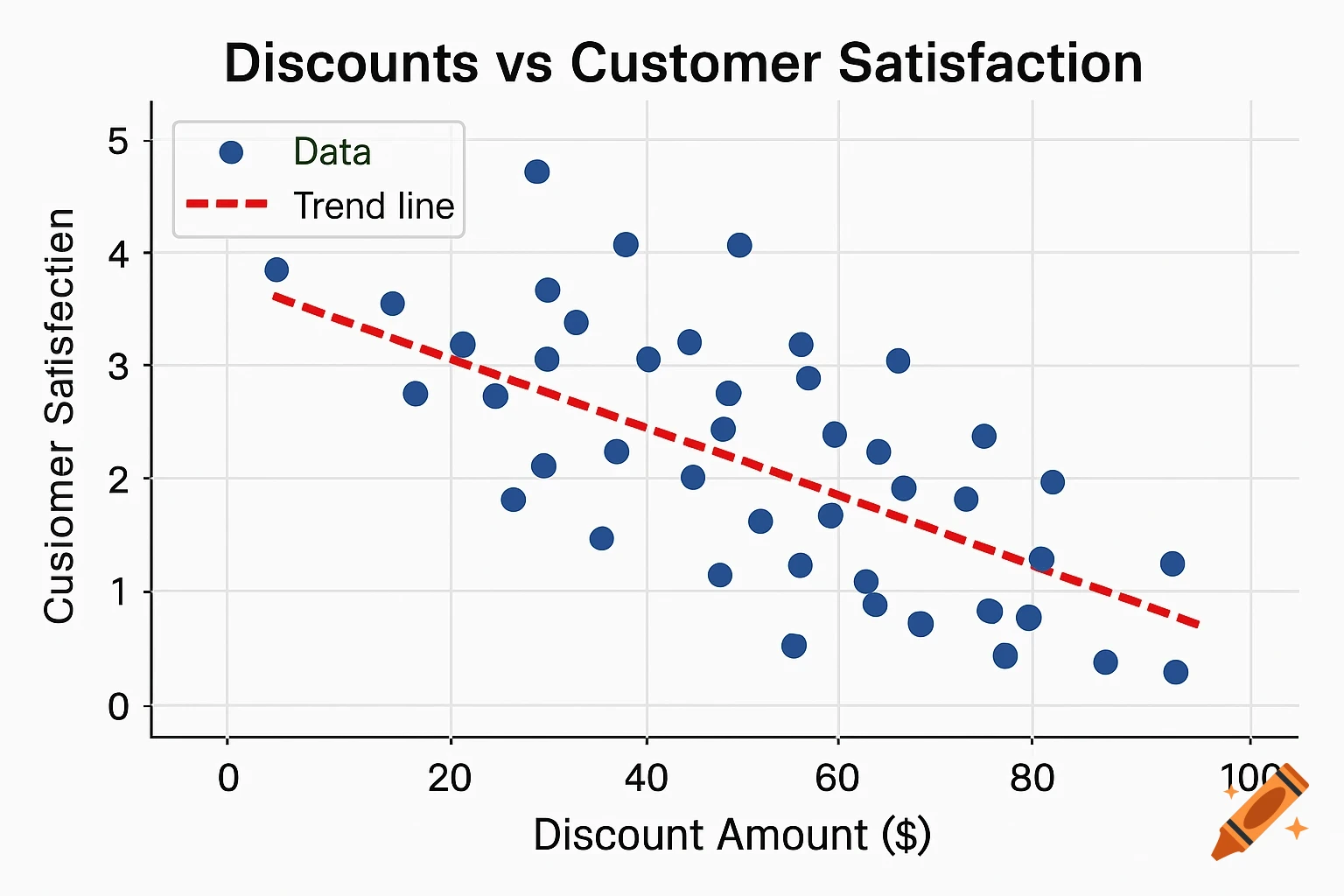
import matplotlib.pyplot as plt import numpy as np # Example weekly discount amounts (replace with actual weekly discounts) discounts = [ 5, 10, 15, 10, 20, 5, 10, 15, 20, 10, 15, 10, 5, 20, 10, 15, 20, 5, 10, 15, 20, 10, 15, 20, 10, 5, 10, 15, 20, 10, 15, 10, 5, 20, 10, 15, 20, 5, 10, 15 ] # Customer satisfaction ratings satisfaction = [ 3, 9, 8, 8, 9, 4, 9, 9, 7, 9, 7, 7, 7, 4, 8, 5, 7, 10, 3, 9, 9, 4, 7, 8, 10, 5, 9, 3, 9, 9, 8, 4, 9, 7, 6, 9, 3, 9, 7, 9 ] # Create scatter plot plt.figure(figsize=(8,5)) plt.scatter(discounts, satisfaction, color='blue', label='Data Points') # Fit a linear trend line coefficients = np.polyfit(discounts, satisfaction, 1) # 1 = linear trendline = np.poly1d(coefficients) plt.plot(discounts, trendline(discounts), color='red', linestyle='--', label='Trend Line') # Labels and title plt.xlabel("Discount Amount ($)") plt.ylabel("Customer Satisfaction") plt.title("Discounts vs Customer Satisfaction") plt.grid(True) plt.legend() # Save the chart plt.savefig("discounts_vs_satisfaction_chart_with_trendline.png", dpi=300) # Display the chart plt.show() See more