A dark-themed software UI for "Forsaken Media UI" to convert videos to MP3/MP4, with a URL input, resolution options, download button, and a media player section with a playlist.
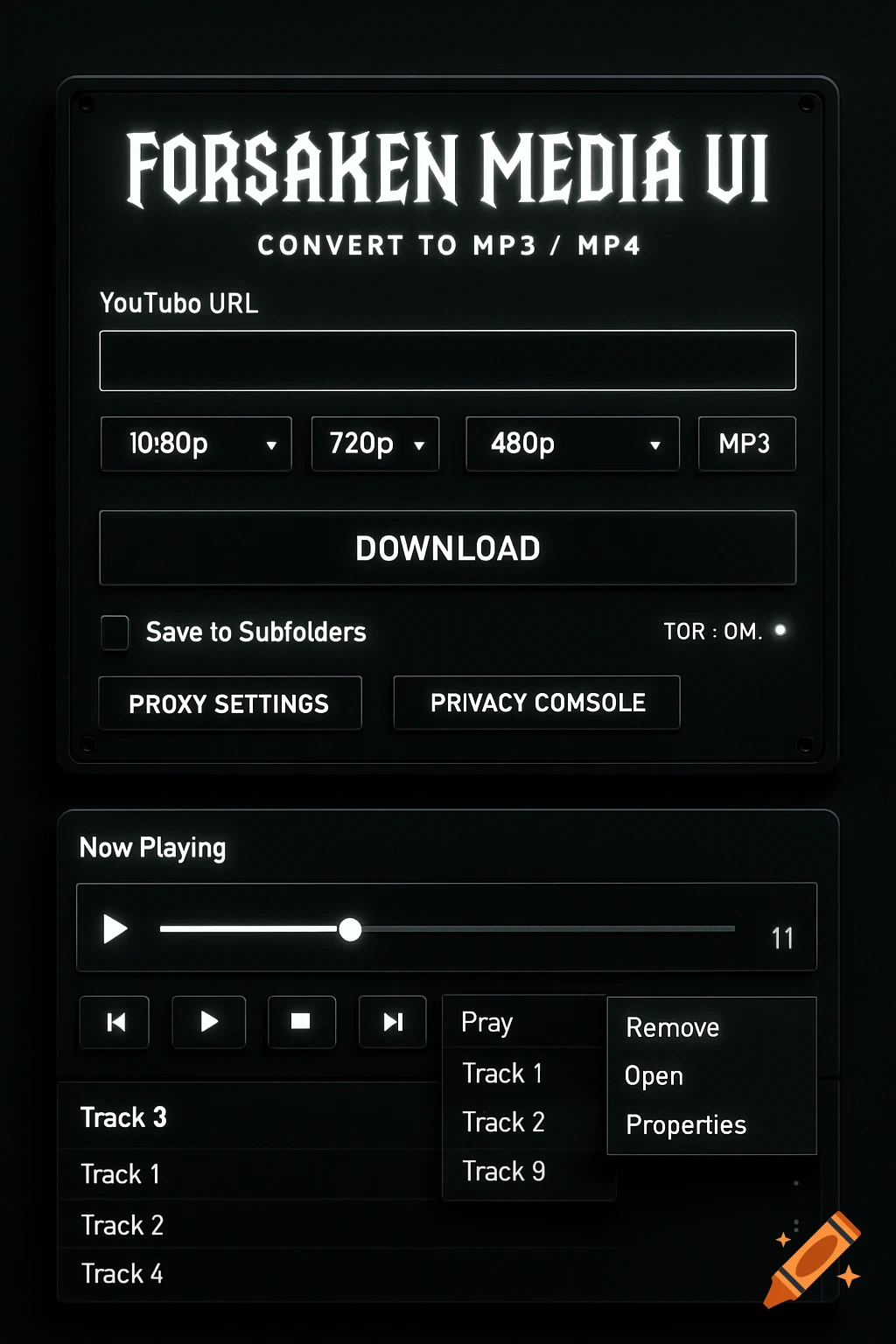
A dark-themed software application called Forsaken Media UI with the subtitle Convert to MP3/MP4 at the top. The application has a full single-page interface (no tabs). Everything is aligned in a clean grid with a cyberpunk dark UI aesthetic — deep blacks, slate greys, glowing white fonts, and minimalist icons. 🧱 Top Section: YouTube to MP3/MP4 Converter Panel Large title bar with the text: Forsaken Media UI in a gothic or heavy metal style font Subtitle just below: Convert to MP3 / MP4 Input field across the top for pasting YouTube URLs Below the input field, on the same row: Dropdown: Resolution (values: 1080p, 720p, 480p) Toggle button: MP4 (aligned directly to the left of the resolution dropdown) Dropdown: Bitrate (values: 320k, 256k, 192k, 128k) Toggle button: MP3 (aligned directly to the right of the bitrate dropdown) A Download button beneath the URL field, centered Checkbox: Save to Subfolders (formerly “Organize Playlists into Subfolders”) Two smaller buttons below: Proxy Settings Privacy Console Small label below: Tor: ON or Tor: OFF (with green or red dot indicator) 🎧 Middle Section: Media Player Panel A minimal media player bar: Buttons: Prev, Play, Pause, Stop, Next Fast Forward and Rewind buttons Small vertical volume slider on the right Horizontal seekbar/progress bar (thin and lateral) Elapsed time display and total duration “Now Playing” text label above the bar To the right or bottom: A Playlist panel Scrollable list of MP3s Right-click context menu: See more